# AI Agent Handoff
{% hint style="info" %}
An external AI agent handoff requires at least one connected AI Agent with [valid credentials](https://documentation.proto.cx/docs/modules/manage-ai-agents#external-ai-agent-handoff) (AI Agent ID, AI Agent secret, and Platform domain) to receive conversations from the originating AI Agent.
{% endhint %}
The External AI Agent Handoff action enables a conversation to move seamlessly from one AI (for example, **AI Agent A**) to another (**AI Agent B**). This is useful when different AIs specialize in different workflows, data sources customer profile, or when referring tickets from different institutions to support collaboration.
***
### Configuration
To connect an external AI agent:
1. Go to the **AI Agents module** and open the **Action** tab.
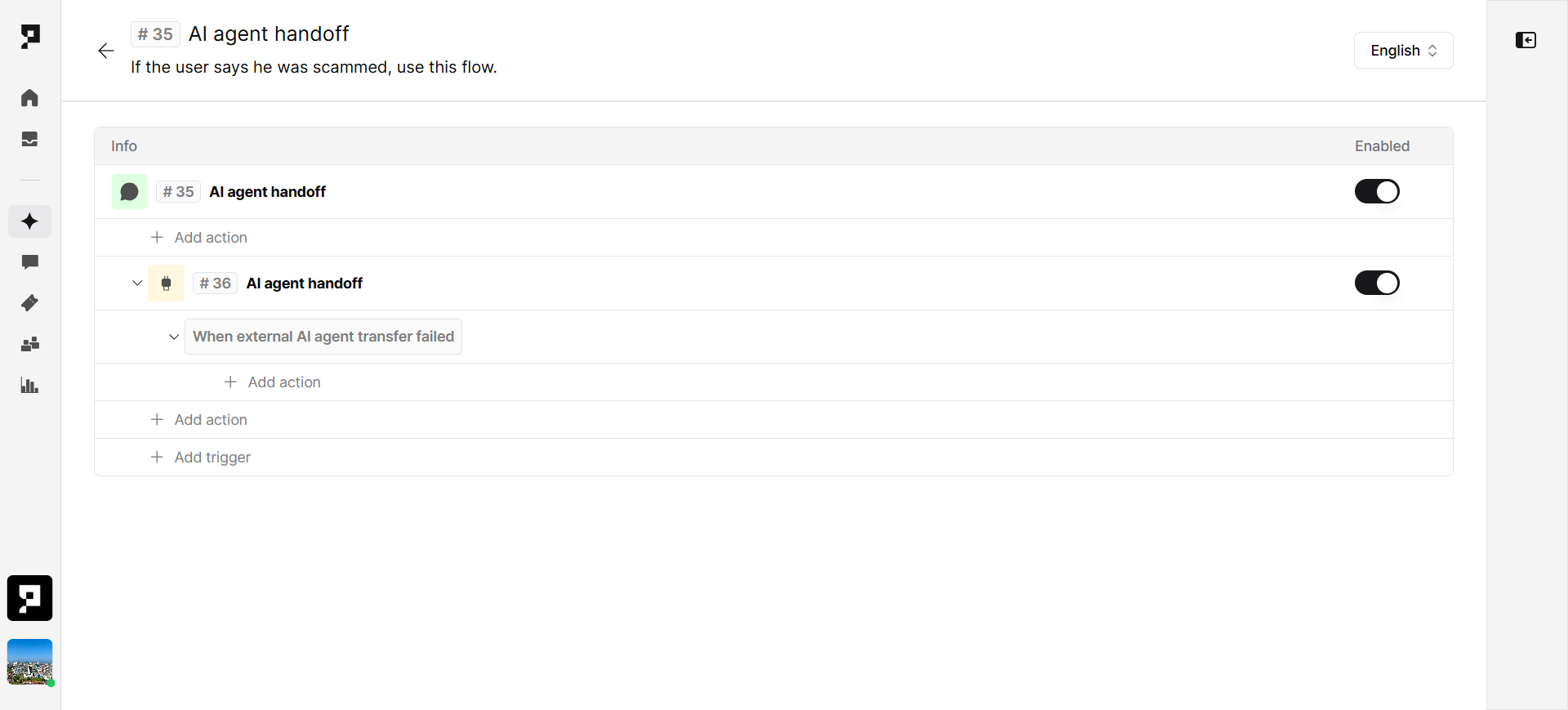
2. Select Add Trigger and create.
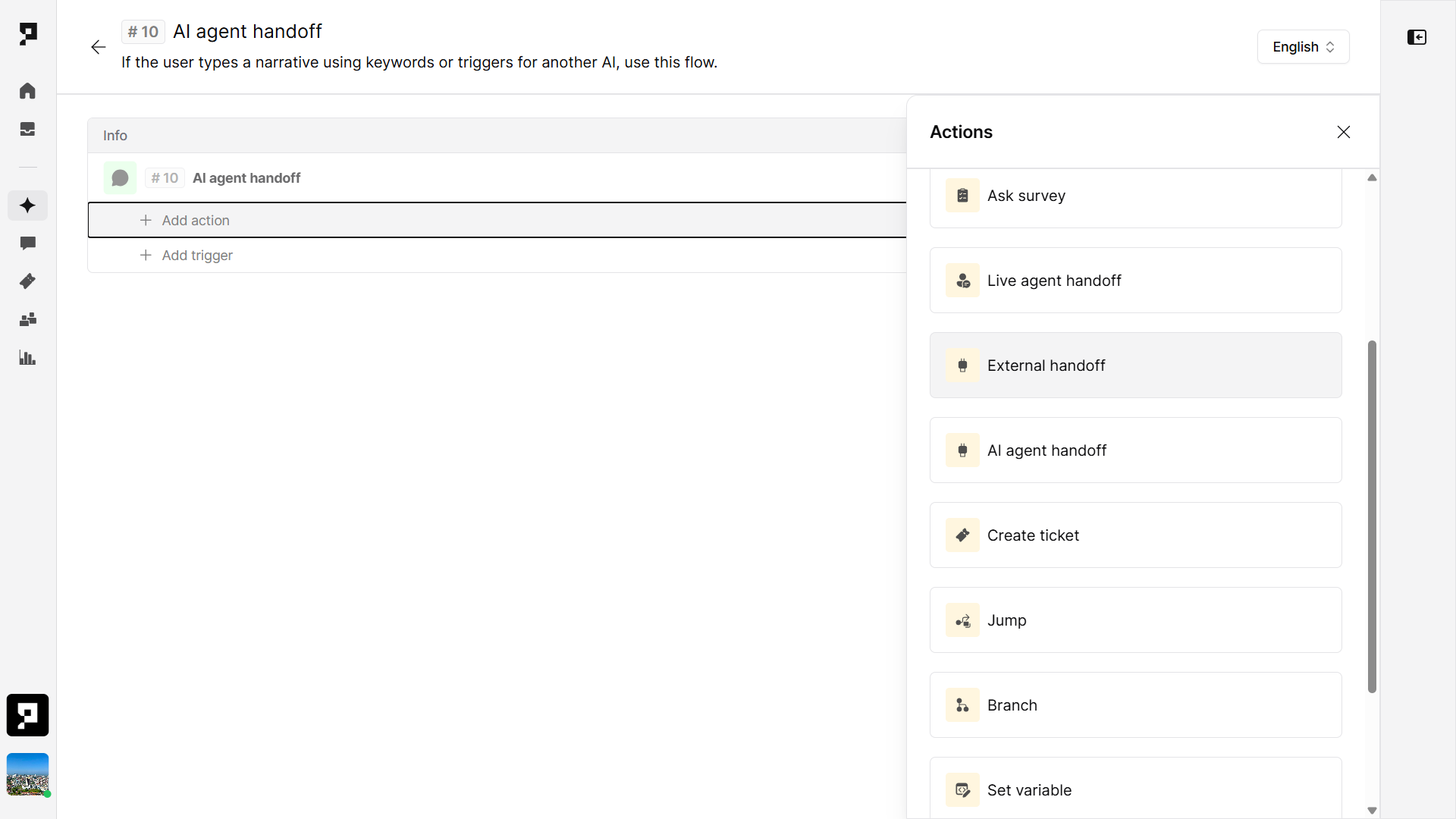
3. Choose add action and locate the **External AI Agent Handoff.**
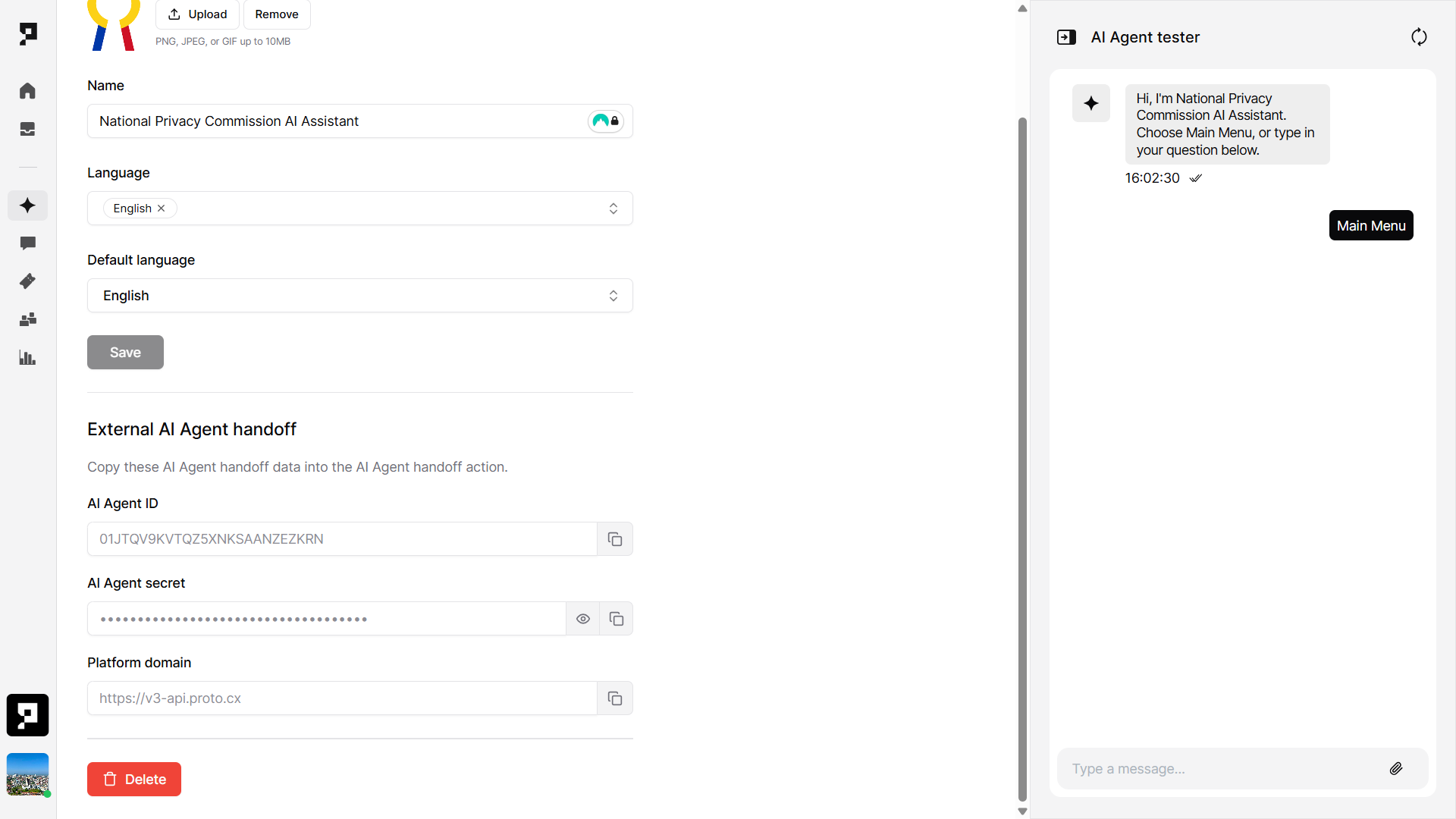
1. Copy the following connection details from **AI Agent B** (the receiving agent):
* **AI Agent ID** – a unique identifier for the agent.
* **AI Agent Secret** – a secure key used to verify inbound connections.
* **Platform Domain** – the domain where the agent is hosted (for example, `https://v3-api.proto.cx`)
2. In **AI Agent A**, open the **AI Agent Handoff** action.
3. Select **Connect External AI Agent**.
4. Paste the copied details into the corresponding fields:
* AI Agent ID
* AI Agent Secret
* Platform Domain
5. Click **Verify & Save**.
Once verified, **AI Agent A** can hand off conversations directly to **AI Agent B**.
***
#### Handoff
During the chat session, when an end-user triggers one of the keywords linked to a handoff intent, the conversation continues seamlessly in the same chat window — moving from **AI Agent A** to **AI Agent B**.
When this happens, all relevant session details are automatically carried over to the next AI agent. This means the user’s context — such as name, issue type, and any answers they’ve already provided — remains available, so they never have to repeat information.
The system automatically filters out internal or sensitive details (for example, authentication data or internal notes) to ensure that only the information needed for the handoff is shared.
### Example Setup
* **AI Agent A:** Handles general customer inquiries.
* **AI Agent B:** Specializes in technical support.
When a customer asks a question requiring technical help, AI Agent A automatically transfers the conversation to AI Agent B using the configured credentials.
***
### Security
Each AI agent has a **unique secret key** to ensure all handoffs are authenticated and secure. This prevents unauthorized systems from accessing or intercepting conversations.